


Map Tracker & Location Share
4.63.00 Reviews
App Specs
- Version
- 1.1.2
- Updated On
- License
- Free
- Downloads
- 10,000+
- Developer
- HuanYoung Tech of SZ
- Categories
- Maps & Navigation
- Platform
- Android
Screenshots
 Analysis by AppCompare
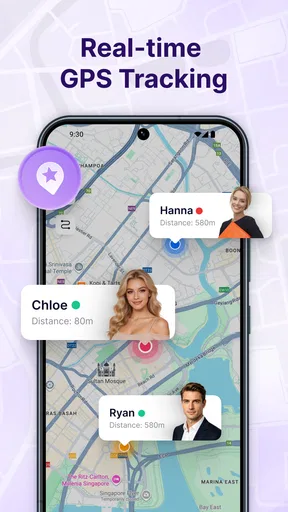
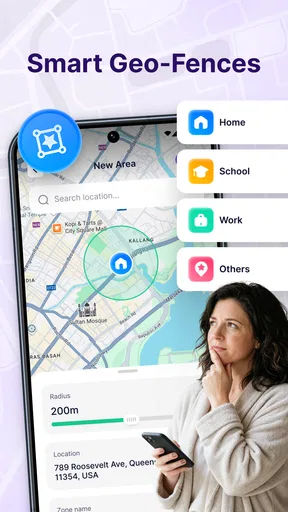
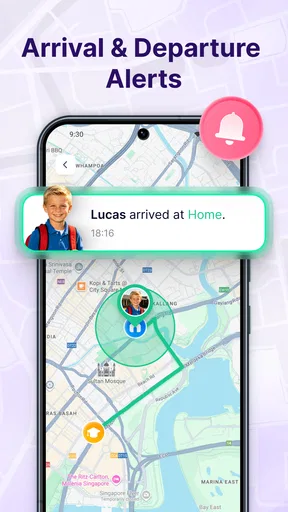
Keeping track of someone’s arrival sounds simple until a normal journey turns into a string of unanswered messages. Map Tracker & Location Share is built for that small but useful gap: it lets friends share their real-time location and sends alerts when they arrive or leave. I found its appeal less in replacing a full navigation service and more in reducing the need to ask, “Are you there yet?”
This is a free app in the Maps & Navigation category from HuanYoung Tech of SZ. It has a 4.6 average from around 36 ratings and has passed 10K installs, so it is still a relatively small product rather than a familiar household platform. That matters when setting expectations: I see it as a focused location-sharing tool, not an all-purpose map, route planner, or social network.
Where people are most likely to get stuck
The first point of friction is usually not the map itself. It is the relationship between the person sharing a location and the person waiting for an update. Both people need to understand who is sharing, what event should trigger an alert, and whether the app is still allowed to work while the phone is locked. If those details are unclear, the experience can feel unreliable even when the map is working normally.
I would begin with a very small test rather than relying on the app for an important meeting. Share a location with a friend who is nearby, move through a short route, and check whether the expected arrival or departure alert appears. This simple trial separates setup confusion from a genuine problem and helps both users learn what the notifications look like before they matter.
Another common stumbling block is expecting the app to behave like a live conversation. A location-sharing tool can show useful movement, but it does not remove every delay caused by a phone’s connection, battery-saving behavior, or notification handling. If the other person’s phone has poor connectivity, the visible position may lag. That is a practical limitation of relying on any real-time location service, not necessarily a defect in this particular app.
The wording of an alert also deserves attention. An arrival notification is useful only when the destination is understood correctly, while a departure alert is most helpful when you know which person or place it refers to. Before starting a trip, I would check the selected contact and event rather than assuming the previous arrangement is still active.
Why a small test prevents a bigger disappointment
For everyday use, I would not introduce this app for the first time five minutes before someone needs to find me. A quick trial reveals whether the other person has accepted the share, whether alerts are visible, and whether the map updates in the way you expect. It also gives you a chance to decide whether the app’s level of detail is comfortable for both sides.
Worth Reading Before You Choose

EA SPORTS FC Mobile 26 Is a Bigger Football Game, but It Takes Time

Flipboard Shows What News Apps Must Do Beyond the Feed

Switching to Android Auto Means Rethinking Your Driving Routine

Google Calendar Makes a Crowded Week Easier to Manage

Ludo King Makes the Most of the Minutes Between Plans

Baby Panda World Brings Quick Play to Modern Phones, but Its Game Library Feels Busy
That last point is important. Location sharing is not just a technical action; it is a social agreement. I would tell the other person when sharing starts and when it should end, especially if the purpose is a single journey. The app is better suited to deliberate, temporary coordination than to silently monitoring someone who has not agreed to participate.
Setup checks that make location sharing smoother
After installing the app, I would work through setup in a calm order. First, identify the person who needs to see the location. Next, decide whether the useful signal is an arrival, a departure, or both. Finally, confirm that notifications are enabled for the app and that the phone is able to maintain its location connection during the journey.
The app is free, carries an Everyone content rating, and currently uses version 1.1.2. It supports devices running Android 7.0 or later. Those details make it accessible to many Android users, but an older compatible phone can still behave differently from a newer one because background activity and battery controls vary between devices. If updates stop when the screen goes dark, the phone’s system settings are one of the first places I would inspect.
I would also check the phone’s general location setting before blaming the app. A map cannot provide a useful position if the device itself is unable to determine where it is. Indoors, underground, between tall buildings, or in areas with weak connectivity, the position may be less precise or slower to refresh. Testing outdoors in a familiar place gives a cleaner baseline.
Notifications deserve their own check. If an alert is late or missing, look at the app’s notification settings, the phone’s silent or focus modes, and any battery-saving option that restricts background activity. These checks are ordinary Android troubleshooting, but they are especially relevant here because the app’s main value depends on an alert reaching the other person at the right moment.
A sensible first-use routine
My preferred setup routine would be:
Choose a short, familiar journey rather than a long trip.
Tell the recipient exactly what to expect: a shared position, an arrival alert, a departure alert, or a combination.
Keep both phones connected and make sure notifications are not being silenced.
Check the map during the test instead of waiting only for the final alert.
End the sharing arrangement once the practical reason for it has finished.
This routine may sound cautious, but it avoids the most frustrating misunderstanding: one person thinks the app is actively tracking while the other believes the sharing session has already ended. Clear expectations are more valuable than repeatedly refreshing the map.
What it does better than ordinary messages
Compared with sending “I’m leaving now” and “I arrived” by text, the app can reduce manual updates. That is useful when someone is driving, carrying bags, or moving through a busy station. A message requires the traveler to remember each step; an arrival or departure alert is designed to make the exchange less dependent on memory.
Compared with opening a full navigation app, this tool appears more focused. A navigation service is usually the better choice when you need route planning, traffic information, turn-by-turn guidance, or a broad view of nearby places. Map Tracker & Location Share makes more sense when the route is already known and the main question is whether another person has left or arrived.
It also occupies a different space from a family-oriented tracking platform. Those services may offer larger networks of people, established location histories, or additional safety tools. I would choose this app when I want a narrower, simpler exchange with friends rather than a permanent household tracking system. The trade-off is that a focused app may require more care around each individual sharing session.
Recovering the workflow when an update fails
When a location does not appear, I would avoid immediately repeating the share request several times. First, ask the other person whether the sharing action was completed and whether the app is open or allowed to operate in the background. If the map is stale, compare the time of the last visible update with the person’s actual connection and surroundings.
If an alert is missing but the map seems current, investigate notifications separately. The location exchange and the alert delivery are related, but they are not the same step. A phone may receive position information while suppressing the notification that should draw attention to it. Checking notification permissions and silent modes is therefore more useful than reinstalling straight away.
If nothing updates, close and reopen the app on both sides, confirm the network connection, and repeat the short test. I would not use repeated restarts as a permanent solution, but they can reveal whether the problem was a temporary connection issue. If the same failure happens consistently on a simple outdoor test, recording exactly when it occurs will make any support request more useful than saying only that “the map does not work.”
Three practical habits that improve reliability
First, use a named conversation or a clearly agreed person for each journey. The less ambiguity there is about who should receive the update, the easier it is to spot a setup error. This is particularly helpful when several friends are coordinating a meeting and only one person needs to share.
Second, test an arrival alert before a high-stakes pickup. A parent waiting outside a venue, a friend meeting someone at a station, or a group organizing a late-night return can all benefit from knowing that the workflow works before the journey begins. A short rehearsal is a better safeguard than assuming every notification will arrive perfectly.
Third, use the map as a coordination aid, not as a substitute for communication. If a person is delayed, has changed plans, or is in an unsafe situation, a direct call or message remains more appropriate. The app can reduce routine check-ins, but it cannot explain why someone stopped moving or whether plans have changed.
One less obvious trade-off is battery and attention. Location sharing can be useful, but any phone activity connected with maintaining a current position may matter more on a long outing than on a short walk. I would avoid starting a continuous sharing workflow with a nearly empty battery, especially when the traveler may need the phone for directions or an emergency call.
When the app is not the cause
Not every inaccurate-looking position is an application failure. A phone’s location can drift near large buildings, lose precision indoors, or update slowly when the network is unstable. If the position is close but not exact, I would first compare the result in an open area and allow a little time for the device to settle before deciding that the app is wrong.
Likewise, a delayed arrival alert can come from the phone’s notification system rather than the map. Battery optimization, a restricted background process, a disabled notification channel, or a temporary connection problem can all interrupt the final step. The most useful troubleshooting question is therefore specific: did the location stop updating, or did the update happen without an alert?
There is also a human cause that technology cannot fix. If the recipient is looking at the wrong person, expecting a different event, or assuming that sharing continues indefinitely, the app may appear confusing even though it is following the selected workflow. I would always agree on the purpose and duration of sharing in plain language.
Privacy is another reason to pause before using it. I would skip this app for someone who wants a permanent, detailed family-monitoring setup with extensive controls and a mature ecosystem. A dedicated family location service may be a better fit in that situation. I would also skip it when the only need is directions, because a standard navigation app will usually be more direct.
On the other hand, the focused design is a strength for friends who only need a temporary answer to a practical question. A traveler can share a journey, a host can know when a guest is approaching, or two friends can coordinate a meeting without exchanging repeated status messages. Those situations do not require a large social platform; they require a clear location signal and a timely alert.
My practical verdict after using it
I see Map Tracker & Location Share as a useful, narrowly defined Android app for people who often coordinate arrivals and departures with friends. Its free price removes the main barrier to trying it, and the Everyone rating makes its intended audience broad. The current release is still associated with a relatively small install base, so I would approach it as a straightforward tool worth testing rather than as a proven replacement for every established mapping service.
My recommendation comes with a condition: perform a short trial and check the phone’s location, network, notification, and battery settings before depending on it. Most frustration is likely to come from an incomplete sharing setup or the operating system limiting background behavior. Once those basics are understood, the app’s focused purpose becomes clear.
I would recommend it to friends who want less texting during ordinary journeys and who are comfortable agreeing when sharing begins and ends. I would not recommend it as a navigation replacement, a permanent safety-monitoring platform, or the only communication method during an urgent situation. For those needs, a full map service, a dedicated family tool, or direct contact may be the better choice.
In short, the app earns its place when the problem is simple: one person is traveling, another person is waiting, and both want a clearer signal than a string of manual messages. Its real strength is convenience when the workflow is agreed in advance; its main weakness is that convenience depends on careful setup and dependable phone settings. If that balance matches your situation, it is worth trying with a low-risk test journey first.
Pros
- Live location sharing helps contacts follow your journey in real time.
- Useful tracking history makes it easier to review visited routes and places.
- Simple interface allows quick access to maps and shared locations.
- Helpful for coordinating meetups when people are unfamiliar with an area.
- Location updates can improve safety during trips
- commutes
- or outdoor activities.
Cons
- Continuous GPS use may noticeably reduce battery life.
- Location accuracy can drop indoors or in areas with weak signal.
- Sharing sensitive location data requires careful privacy management.
- Some features may depend on an internet connection or mobile data.
- Background tracking may be restricted by battery-saving settings on some phones.
FAQs for Map Tracker & Location Share
What is Map Tracker & Location Share used for?
Map Tracker & Location Share is designed to help you share your current position and follow the location of people who have given you permission. It can be useful for coordinating meetups, checking whether family members have arrived safely, or keeping a group informed during trips and outdoor activities. The exact tools available may vary depending on the app version and device settings.
Does Map Tracker & Location Share require an internet connection and GPS?
Yes, the app generally relies on your phone’s location services and an internet connection to determine and transmit your position. GPS, Wi-Fi, and mobile networks may all contribute to location accuracy. If GPS is disabled, the signal is weak, or data access is unavailable, the map may show an outdated, approximate, or unavailable location rather than your precise position.
Can I control who sees my location?
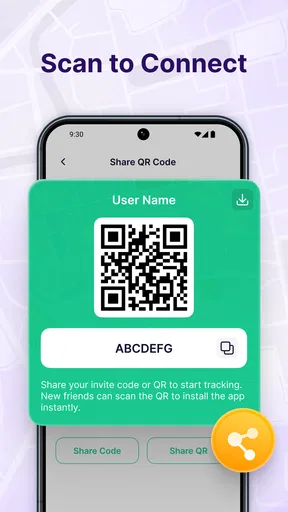
Location sharing should be used only with people you trust. Before sharing, review the app’s contact, group, or invitation options and check whether sharing can be stopped or limited to a specific period. Also review your Android or iOS location permissions. Avoid leaving continuous sharing enabled unnecessarily, especially when sharing with people you no longer need to coordinate with.
Does using Map Tracker & Location Share affect battery life?
Continuous location tracking can consume more battery than ordinary map browsing because the phone must regularly access GPS and transmit updates. Battery usage depends on update frequency, signal quality, screen time, and whether the app runs in the background. To reduce consumption, stop sharing when it is no longer needed and use a less frequent tracking mode when available.
Is Map Tracker & Location Share accurate and safe for emergencies?
The app can be helpful for everyday coordination, but location accuracy is affected by buildings, weather, terrain, device settings, and network coverage. A displayed position may be delayed or approximate, so it should not be treated as a guaranteed emergency service. Keep your phone charged, enable the required permissions, and contact local emergency services directly whenever urgent professional assistance is needed.


